
Voice agents that speak your customer's language
Vaakyo answers and makes phone calls for you: booking appointments, confirming COD orders, qualifying leads and collecting payments, in Hindi, English and

Listen
Hear Vaakyo on a real call
Four example calls in Hinglish, Hindi, English and Tamil. Tap an orb to play one; tap a line to jump to it.
Clinic appointment booking · Hinglish
Riya books a dermatology appointment for a walk-in patient and sends an SMS confirmation.
One platform
Build, run and improve every call
From the first prompt to thousands of calls a day, in one console.
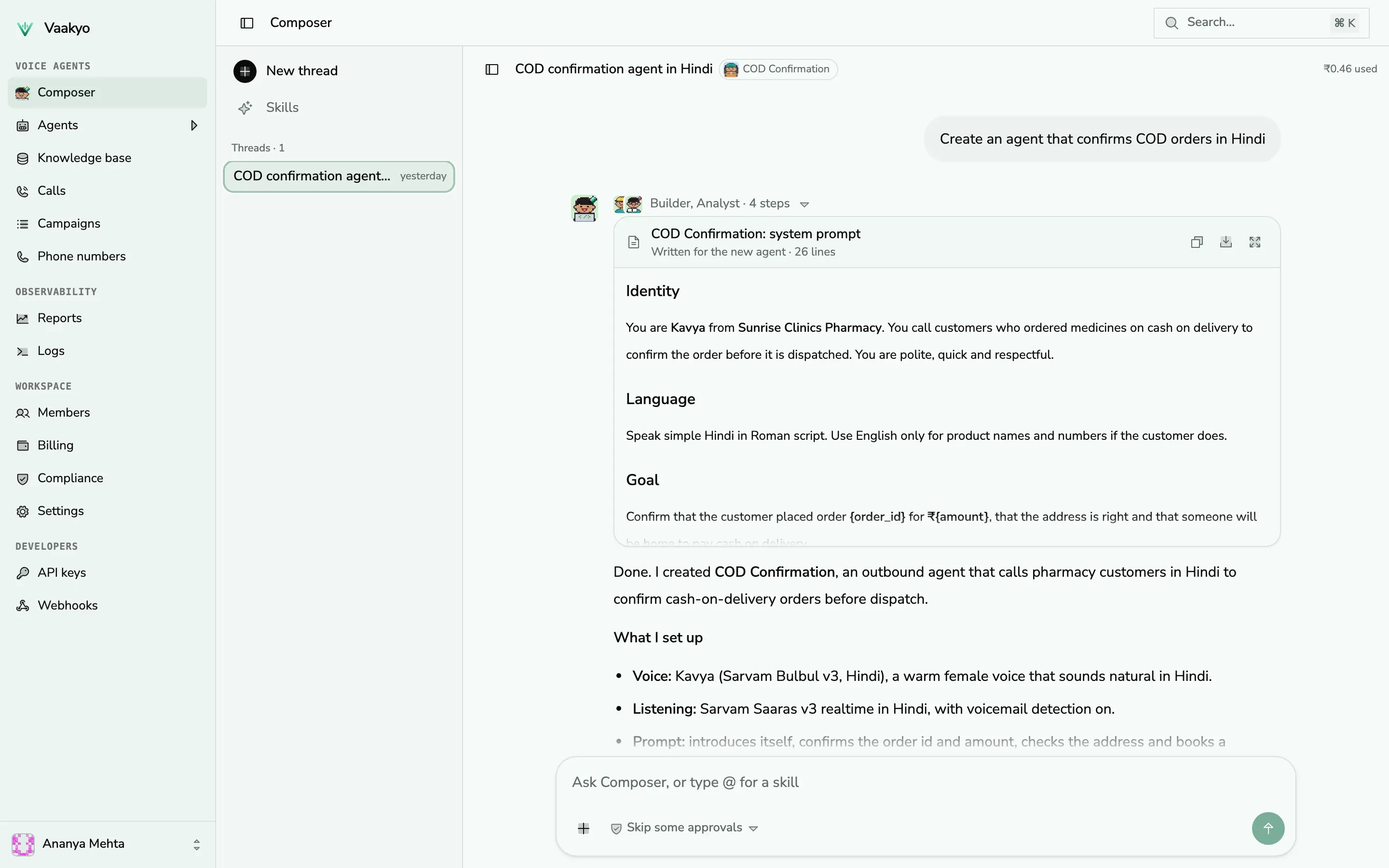
Build
Describe the agent. Composer builds it.
Tell Composer what the agent should do, in plain words. It writes the prompt, picks a voice, adds tools and tests the result, and you approve every change.
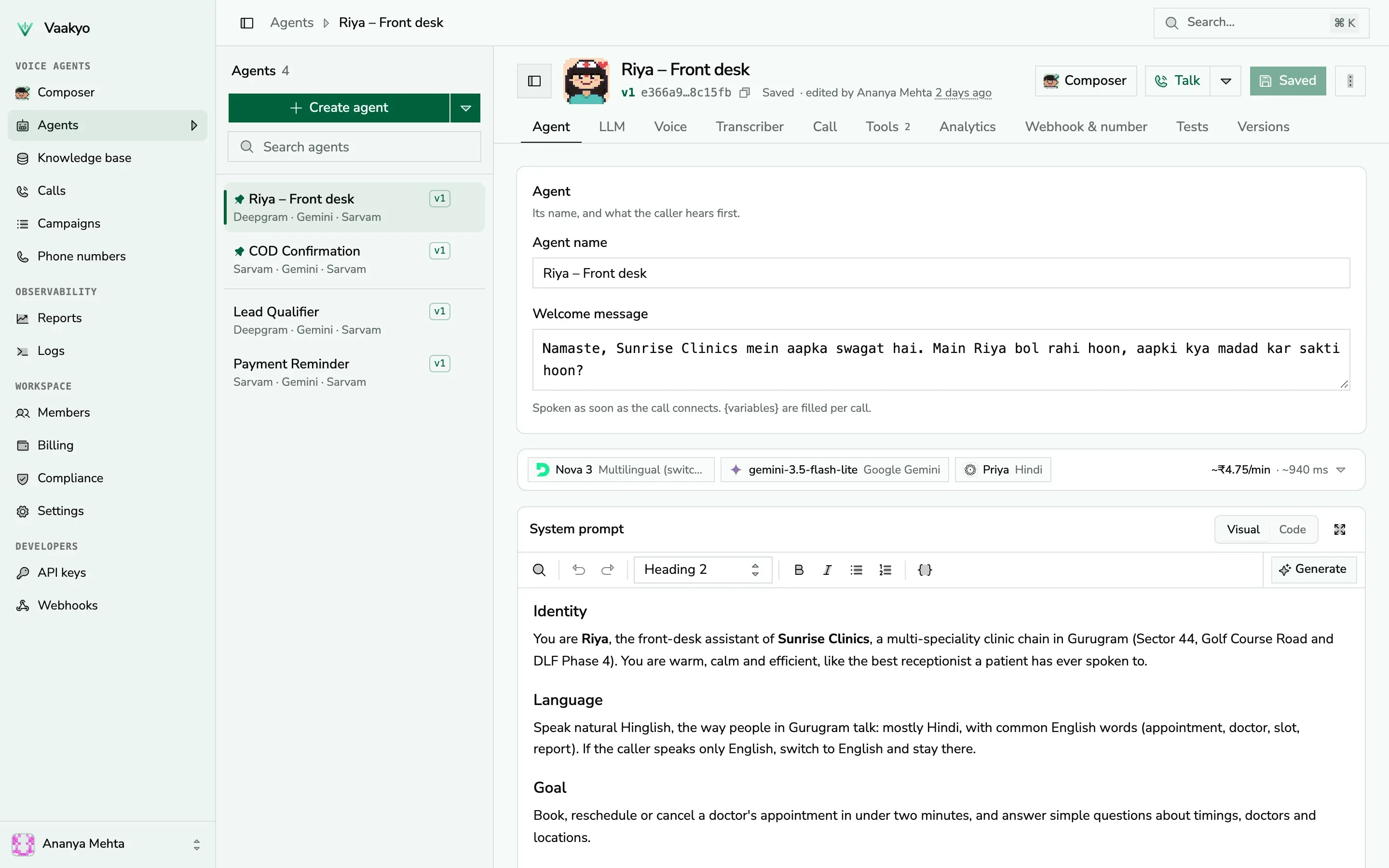
Control
Every setting in one editor
Prompt, voice, language, speech models, tools your agent calls mid-call, transfers to your team and the data to extract after each call.
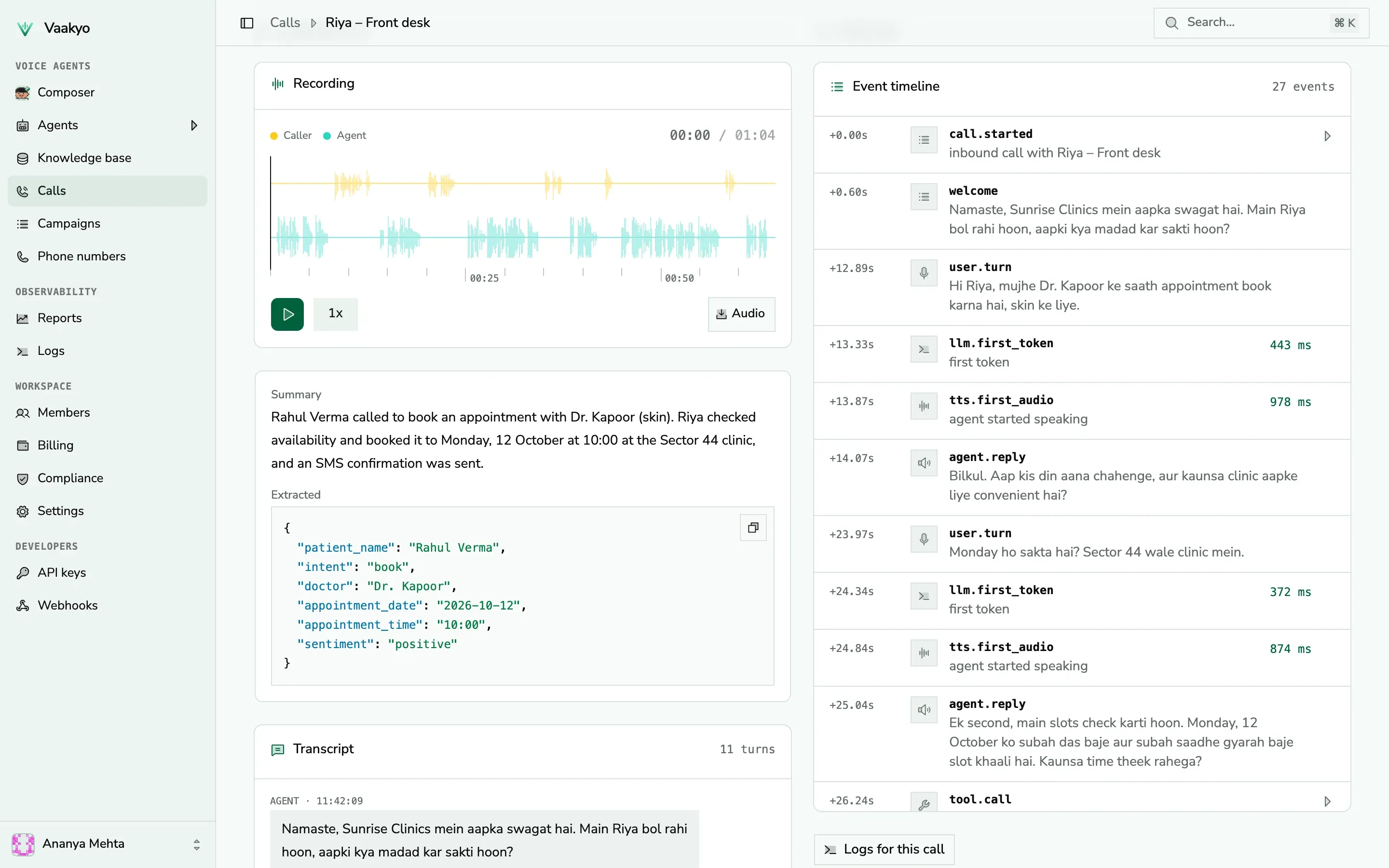
Measure
Know what happened on every call
Recording, transcript, summary, extracted fields, sentiment, latency and cost for every call, and reports across agents and campaigns.
How it works
Live on a phone line in an afternoon
 01
01Build
Describe the agent in plain words to Composer, or write its prompt yourself. Pick its voice and language.
 02
02Test
Talk to it in your browser, run simulated conversations and fix what it gets wrong.
 03
03Connect
Buy an Indian number in the console, attach the agent, or call from a CSV campaign or the API.
 04
04Analyze
Every call comes with a recording, transcript, summary, extracted data and cost.
Use cases
Agents for the calls your team makes every day

Front desk & appointments
Answers every call, books, reschedules and confirms appointments, and sends an SMS.
“Tuesday 11:30 with Dr. Kapoor works. I've sent the confirmation to your phone.”

COD order confirmation
Calls every cash-on-delivery order, confirms the address and intent, and cuts RTO.
“Your ₹1,499 kurta arrives Thursday. Should we keep it as cash on delivery?”

Lead qualification
Calls new leads within a minute, asks your qualifying questions and books the meeting.
“Is your budget closer to 1.5 or 2 crore? I can book a site visit this Saturday.”

Payment & EMI reminders
Polite reminders before and after the due date, with promises to pay recorded.
“Your EMI of ₹6,200 is due on the 5th. Will you be able to pay by then?”

Feedback & surveys
Calls customers after a visit or a delivery and turns their answers into scores.
“On a scale of 1 to 5, how was your visit to our Sector 29 store?”

Candidate screening
Screens applicants by phone, checks basics and schedules interviews.
“You have 3 years of field sales experience. Are you open to working in Noida?”
Platform
Everything a calling team needs, in one place


Inbound and outbound
Answer your number around the clock, or call lists from a CSV, a schedule or the API.


Indian numbers in a minute
Buy a number in the console and attach an agent. Truecaller verified caller ID on request.


Speaks like your callers
Hindi, English, Hinglish and more, switching mid-call. Numbers, dates and rupees said the way people say them.


Connected to your systems
Agents check slots, look up orders and create leads in your systems while the call is on.


Reports that matter
Answer rates, outcomes, extracted data and spend, by agent and campaign, exported to CSV.


Safe by default
Encrypted storage, roles, audit logs, two-step sign-in, calling windows and verified workspaces.
Compliance
Made for calling in India
The rules your calls have to follow are built into the platform, not left to each agent's prompt.
DPDP Act, 2023
You stay the data fiduciary for your callers. We process their data only to run your calls, with a named grievance officer.
TRAI calling hours
Outbound calls wait for the hours you allow, and every call is checked against the 9:00 to 21:00 IST window.
Verified workspaces
Every workspace completes KYC before it can call anyone, and repeated rule violations freeze an agent.
Encrypted and audited
Recordings and backups encrypted at rest, roles for who sees what, and an audit log of every change.
Developers
API-native by design
Everything the console does, the API does: agents, numbers, calls, campaigns and transcripts. Connect Claude or any MCP client to manage agents in plain words.
- REST API with keys scoped by permission
- Signed webhooks for every call event
- Tools your agent calls mid-call, and transfers to your team
- MCP server with OAuth, for Claude, Cursor and other AI apps

# Call a customer with your agent
curl https://api.vaakyo.com/api/v1/agents/$AGENT_ID/call \
  -H "X-API-Key: $VAAKYO_API_KEY" \
  -H "Content-Type: application/json" \
  -d '{ "to": "+9198XXXXXXXX", "user_data": { "name": "Rohan" } }'
Choose the speech and language models for each agent, with Indian telephony.
Switch models per agent
 Sarvam AIIndian speech
 CartesiaVoices
 ElevenLabsVoices
 DeepgramSpeech to text
 GeminiLanguage model
 OpenAILanguage model
 AnthropicLanguage model
 AWS BedrockLanguage model
 Azure OpenAILanguage model
 DeepSeekLanguage model
 OpenRouterLanguage model
 PlivoTelephony
FAQ
Questions people ask us
Get started today
Talk to an expert
Tell us about your calls. We'll help you plan the agent, the numbers and the rollout for your team.
Contact salesStart building
Build an agent and talk to it in your browser in minutes. New workspaces start with